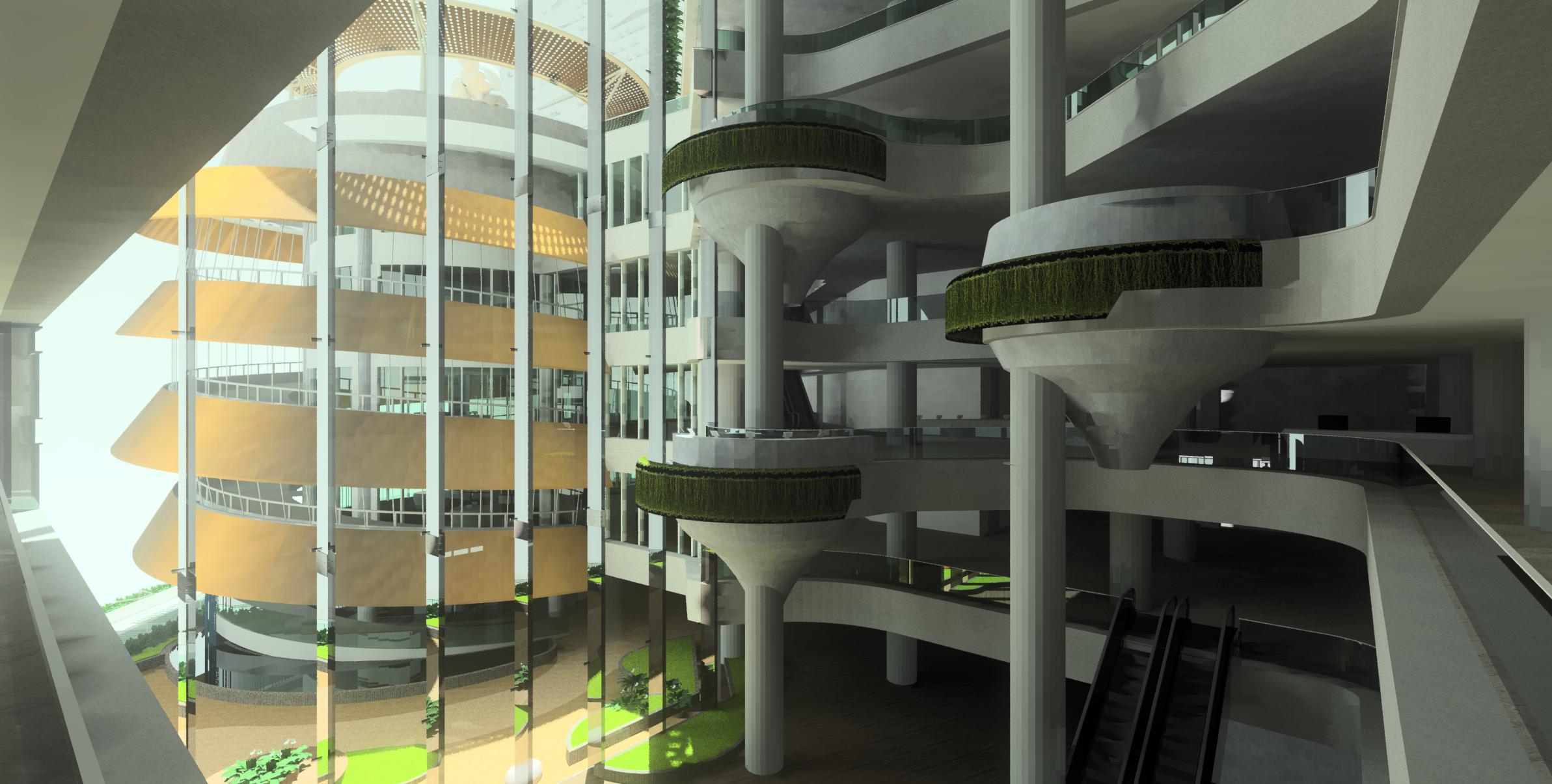
All, I have a problem. In a nutshell: I have a simulation that has been running for five days, and that is not even half-way through. The previous version runs for about 24 hours to complete. The only difference between the two versions is that I added lighting objects, while the first one is only daylighting.
The questions are: is there anything wrong that I have done? Or is this normal for artificial lighting simulation?
The long explanation as follows.
I am running daylighting and lighting simulation for a shopping mall, eight floors, with a total of about 40,000 sqm.
I took the architecture model (in SketchUp) and export it verbatim, to radiance. Without any simplification, with all the textures, etc. The resulting radiance folder is relatively big. The size of the object folder, with all the rad, rtm, and obj files, is about 1.3Gb, and the size of the texture folder containing all the texture images is about 450Mb.
The resulted octree file is about 2Gb.
The original model does not have light fixtures.
I run the simulation for scene renderings with two sky conditions, two types of exterior glass, and four views, to a total of 16 renderings.
The procedure involves running a very small rendering (64x64) to develop the ambient file for each view, before running it for the final high-res rendering.
I am running it with 10 processors. The (user) rpict time for Mark Stock Benchmark (single processor) is 459, so it is a pretty decent computer.
The first case (daylight only) was completed in about 24 hours.
The second case (daylight + artificial lighting) is the problem. It’s been running for four days, and it is still on the first stage of the simulation, i.e. making the ambient file.
The artificial light is modeled as a small sphere attached to the ceiling, forming a grid of 2m apart. The light definition is calculated using lampcolor. The number of lights can be 1200-2200 per floor.
Below is an example of one of the scences without artificial lighting. As you can see, the interior parts of the mall is dark without artificial lighting. Also, without the artificial lighting, from the outside the glass seems to be more reflective than it should be.
Any help would be appreciated. Thanks.