Hi Radiance Community,
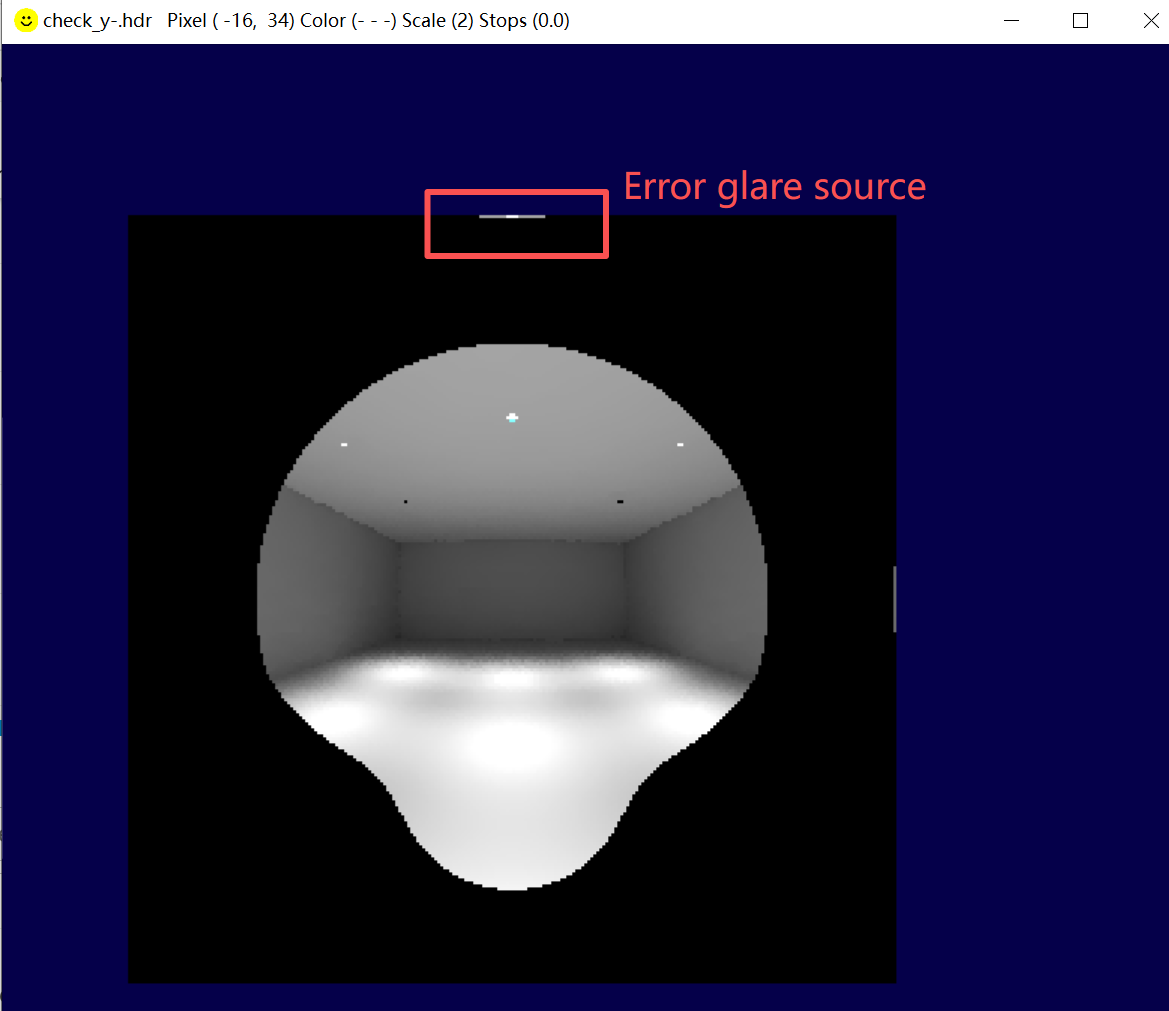
I am trying to use evalglare to calculate glare values. I used the -G option to crop the field of view to the correct range. However, I noticed that the overhead light (located at the edge of the image) was still included in the glare calculation. The check file is as shown.
Hmm, it looks indeed like an artifact at the border. What projection method did you use to render the image?
Could you also provide the original HDR image as a file-link? My guess is that this only one pixel row. There is a problematic in some routines in evalglare when parts of the pixel is outside of the 180°, especially if the vth projection is used. To avoid a crash of the software I ignore the “outerborder” pixel in some routines, maybe also in the Guth-Vield-Of-View-Cutting routine.
If you used vth, can you also try to use a vta projection and see if the problem is still there?
Cheers
Jan
Thank you for your reply. I checked and found that my image was generated using the -vta -vh 180 -vv 180 options. Since I generated a large number of images through a batch process, what I need is a kind of “patch” method to ignore the edge pixels. Do you have any suggestions?
An update: I used vta to set the horizontal and vertical view angles to slightly greater than 180 degrees. A small error was expected, but it became normal in the check file.
I checked the evalglare code and I saw that I implemented a “safety-feature” to avoid a crash at the border and leaving out the last rows of pixel in both dimensions x any y.
I changed the code and Greg updated the CVS/githup. I saw there there is also a new built of executable files, so you can try the new version (3.06, you can check the version of evalglare by typing evalglare -v). The fix solves the problem of missing the last row/lines - I hope it is stable for different images sizes (but only the -G option has changed, all other features are not affected by this change) - for my test scene it worked well.
cheers
Jan