Thanks for your feedback Greg. You are right about only using one core because there is only one tile left, I thought I had tested for this scenario, but I was mistaken!
I managed to solve the stalled render by killing it when it stalled on the last tile, then editing the .rif file so that VARIABILITY=M instead of the setting VARIABILITY=H which I had used previously. Maybe that sheds some clues as to why it stalled.
In addition:
- I had checked the unf file to see what is in the single black tile. It is a keyboard and cloth. I have successfully rendered this from another angle as shown in my other thread (admittedly, with
VARIABILITY=M), so I don’t know why it is problematic this time.
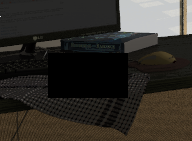
-
I don’t think it is a mesh issue, as I can render the tile interactively with
frameinrvu. Only in rpict do I get this black tile. I suspect it is due to the higher quality settings that rpict applies. -
rpict -versionsaysRADIANCE 5.1.0 NREL/googs 2017.08.21 (based on RADIANCE 5.1 Official Release by G. Ward)This is run on Gentoo Linux. -
Interestingly, after removing the ambient file and trying to re-render it again, it then stalled at 29% instead of 7%.
The issue is now resolved for me, but Greg, if you’d like me to continue investigating in case it is a symptom of a deeper issue, I’d be happy to 